JavaFX CSS Calculator Assignment
For this assignment we had to build a calculator that could calculate any two numbers under the standard variety of operations. Although the main point of the project was to practice CSS so we could further improve our skills in designing visually appealing user interfaces. The CSS was pretty simple because the CSS language is something that I already had experience with, this assignment was just a refresher course with some new functionalities added in to adjust to using CSS in tandem with JavaFX to build an application. Making the calculator calculate was the most difficult part of the assignment, because you had to click each button individually, it made it confusing at times, it’s no different than just doing normal math with computers, but we’re just taking more steps because we have to make the final product like something you would see normally.
I found the way we wrote the program extremely confusing at first, since we programmed it so that the user has to press each button individually I had to make three main methods: one for the number buttons which I called handleNumbers(), another for the operator buttons handleOperators(), and the last one for the equals button handleEquals(). HandleNumbers() was probably the most unique function seeing as every time a number button is pressed the method first gets the text from the button, then checks if the button pressed previously was an operator or a number. From there it will determine whether the variable isNewNumber is true or false, isNewNumber is false if the button pressed before it was a number, because we are not starting another number but continuing the old one. Reversely, isNewNumber would be true if the button pressed before was an operator, because from there we are starting the second number of the equation. From this point the only thing left to do is to print the value, this part happens whether or not isNewNumber is true or not the only difference is that the variable currentInput (which is the variable that contains the input until a new number is entered) already has an existing value and the value of the button pressed is added to that. This method was extremely confusing for me, because I didn’t quite understand that we had to check for a new number at first.
With this assignment I feel I learned more about making the calculator than the CSS, mainly because I knew a lot of the CSS and was just reviewing most of the content there. There was a previous project where I could not get the calculator to work and I was missing the part where I had to check for the new numbers. If I ever got the chance to do this project again, I would make the calculator be able to calculate more than just two operands. I would also make the calculator be able to calculate with parentheses. This was actually an option if we had the time, I was just focusing on the basic functionality of the calculator.
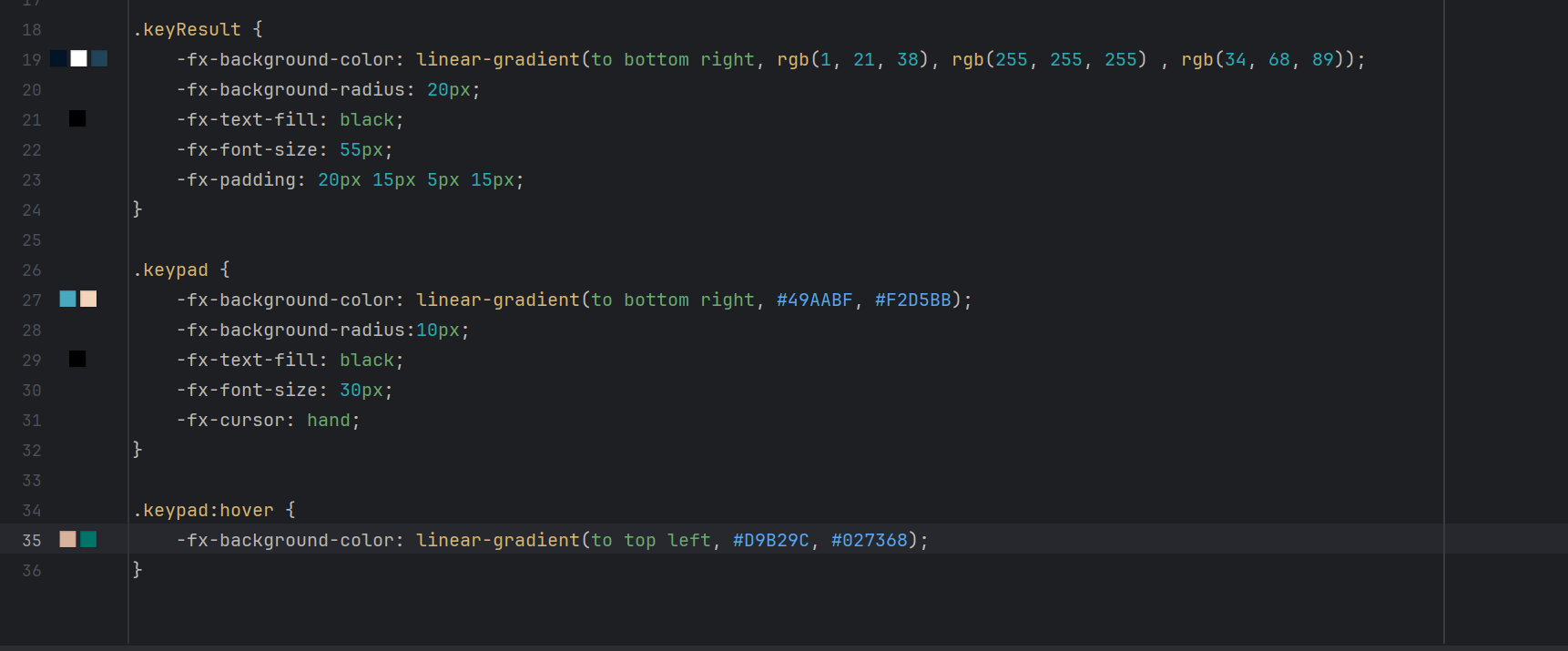
JavaFX Calculator CSS that will determine the style of result box and keypad as well as a style for when a keypad button is hovered on
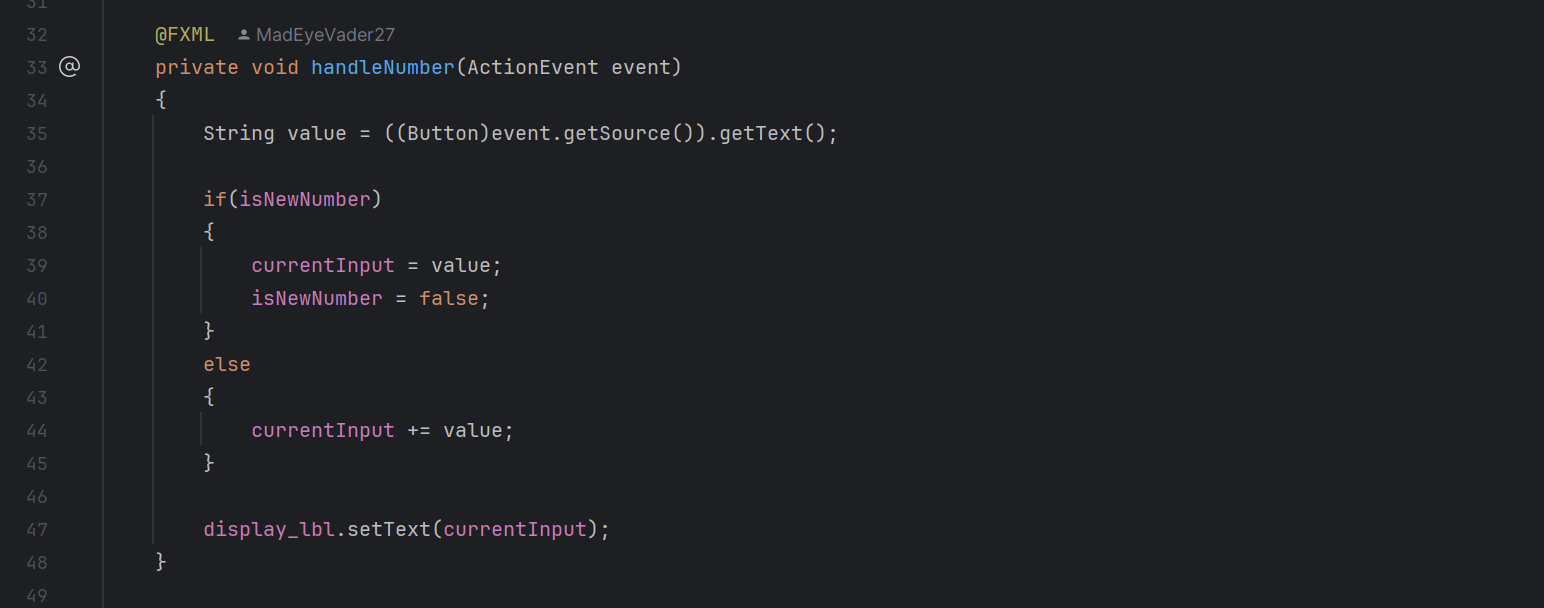
Determines if a number is considered “new” based off of if a operator (+, -, *, /) is before it
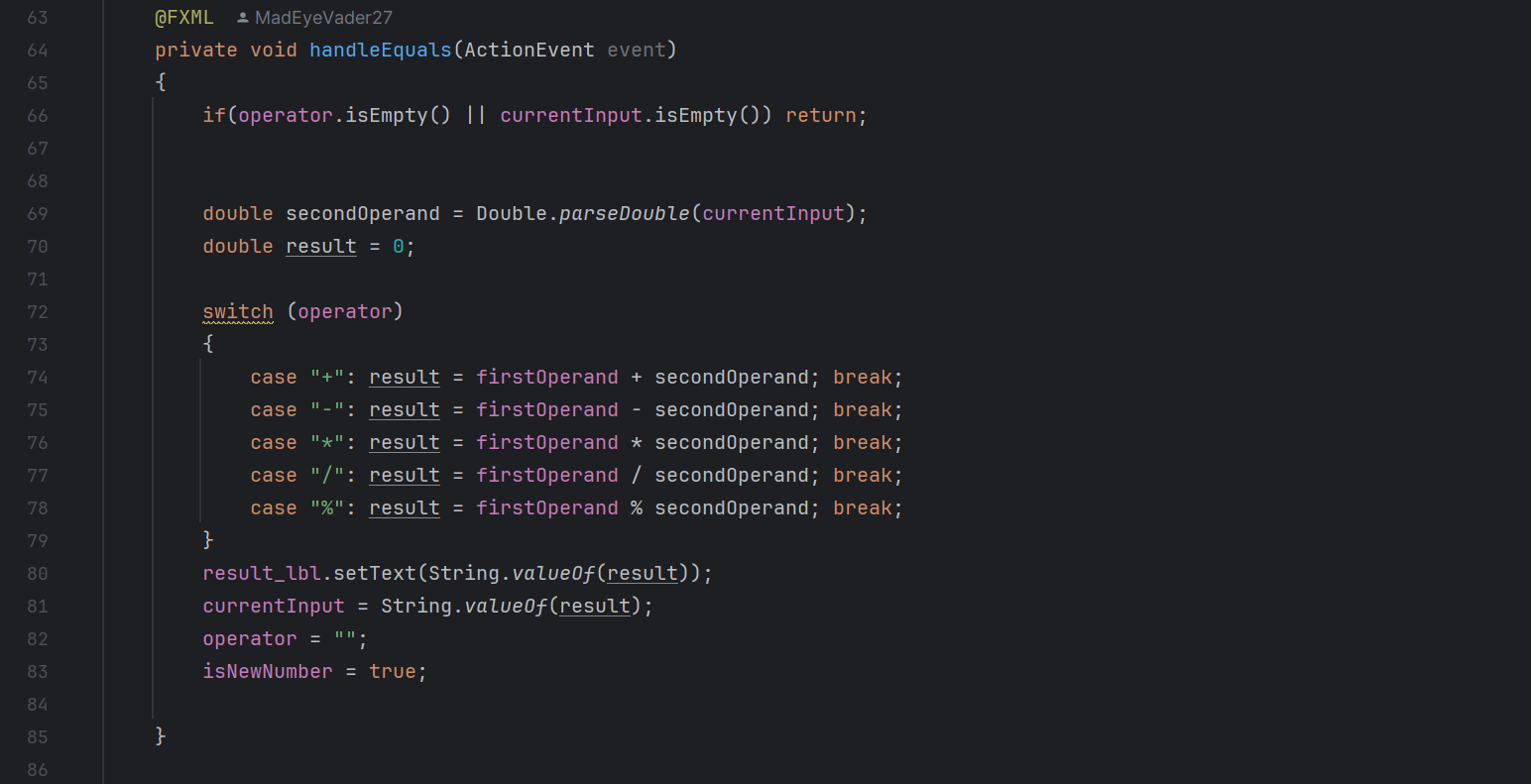
This method handles the operation, so when the user clicks the equals sign on the keypad. This method runs and combines the numbers using the operator selected
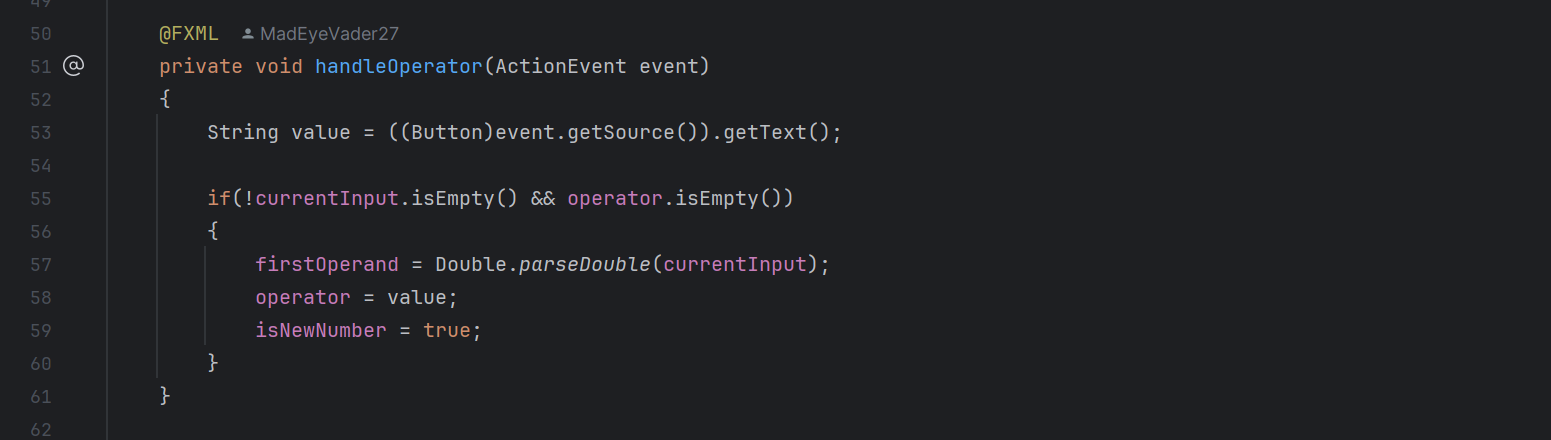
Handles storing the operator to be used in the handleEquals method
JavaFX Image Gallery Assignment
This project was to practice implementing images and manipulating them within an application, hence the relatively simple nature of the assignment. We could choose at least three shows, or movies that we liked and had at least five of their characters in a slideshow that showed an image of the character, their name, and a quote said by them. I found this project pretty simple, I found using images was a simple concept. The hardest part of the assignment was that there was a lot of code, especially when it came to creating content.
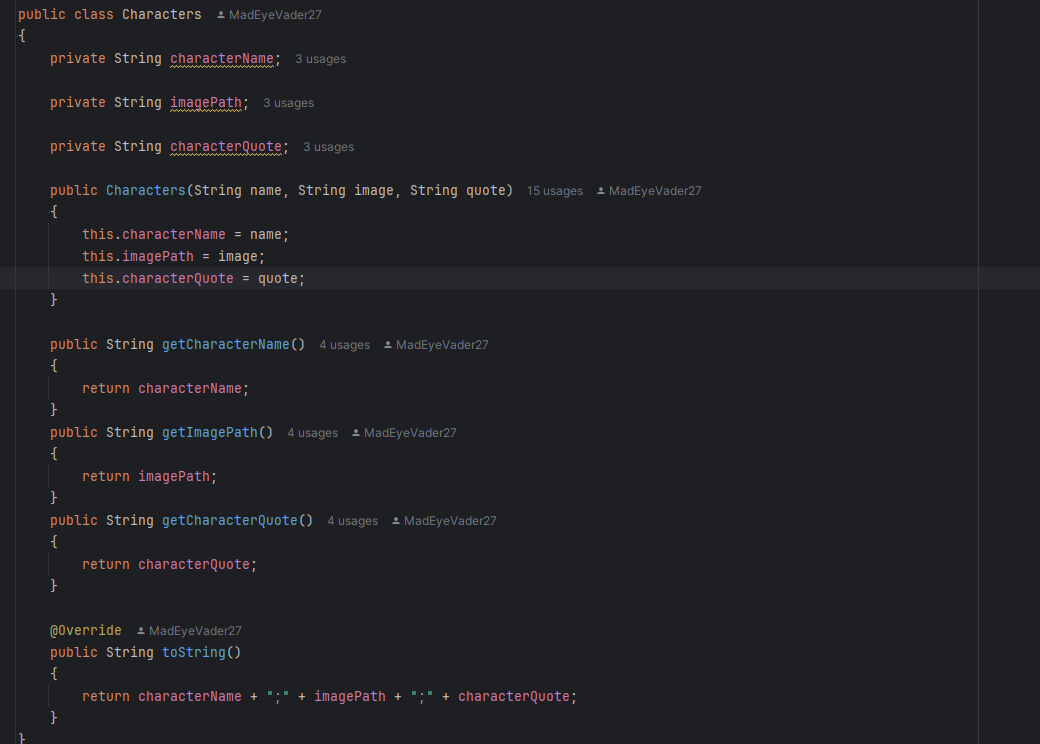
I made two different objects: a Show object (this was essentially a list of characters), and a Character object (which contained all the information about the character). I got the gallery to work by selecting a show in a comboBox node that held Show objects, when ever I selected an option I had a method called HandleShowSelection() that would get the value from the comboBox and store it in a variable that held a Show object and then I had a list of characters called selectedCharacters this list would hold the characters that I would call up from the show that was selected and stored in show, and then it would assign the content of the character (name, quote, image URL) and then assign them to their respective nodes. This would then display the first character for the selected show. There were also the methods I had to make to handle going forward or backward in the slideshow. I called these methods HandleNext() and HandlePrev() respectively. These functions were simple, for the HandleNext() method I had a local variable called indexNum that was just the current index in the character list plus one, which would reach the next Character object in the list, where I could then get the components of the character and display them in their respective nodes. I did have a check to ensure that we did not go out of the list’s bounds. The HandlePrev() method worked in almost the same way, just reversed. These were some of the harder methods to write because of the redundancies required.
Over the course of this project I learned a lot about how images work in JavaFX, I have never done something like this before now. If I could go back and do something differently with this project I would probably try to use the gallery node, because that makes what I was doing a lot easier, I could even put the rotation on a timer, which I think would be pretty interesting. I just wanted to do it manually first to get the hang of the code required.
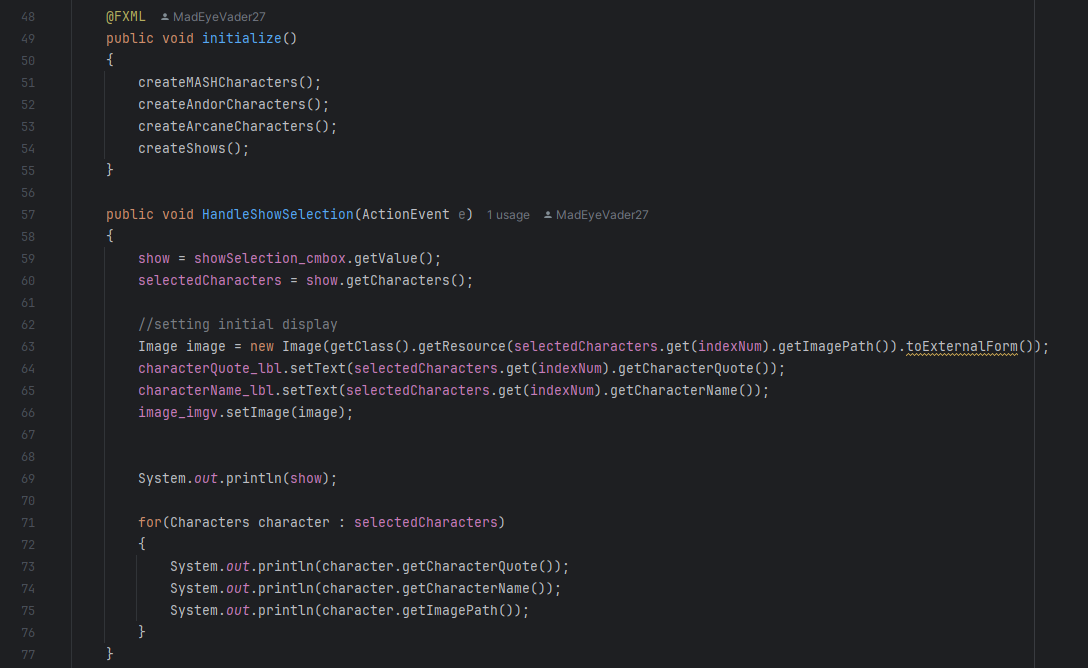
Image gallery method that selects show
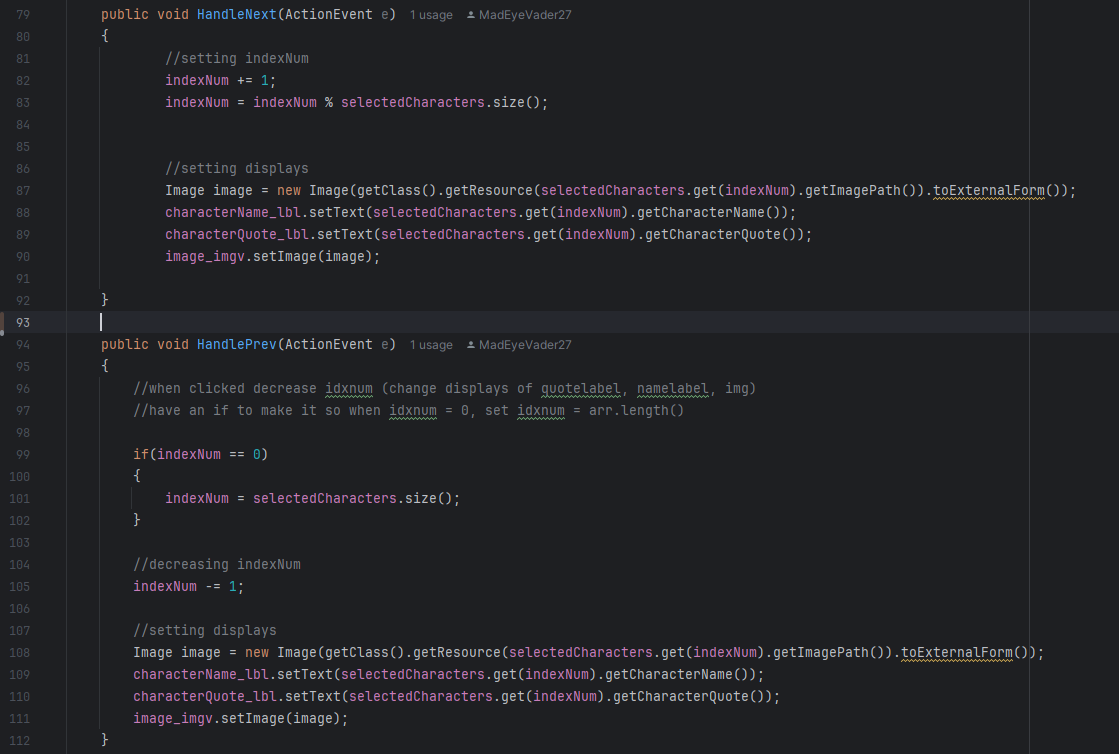
HandleNext() and HandlePrev() methods of the image gallery
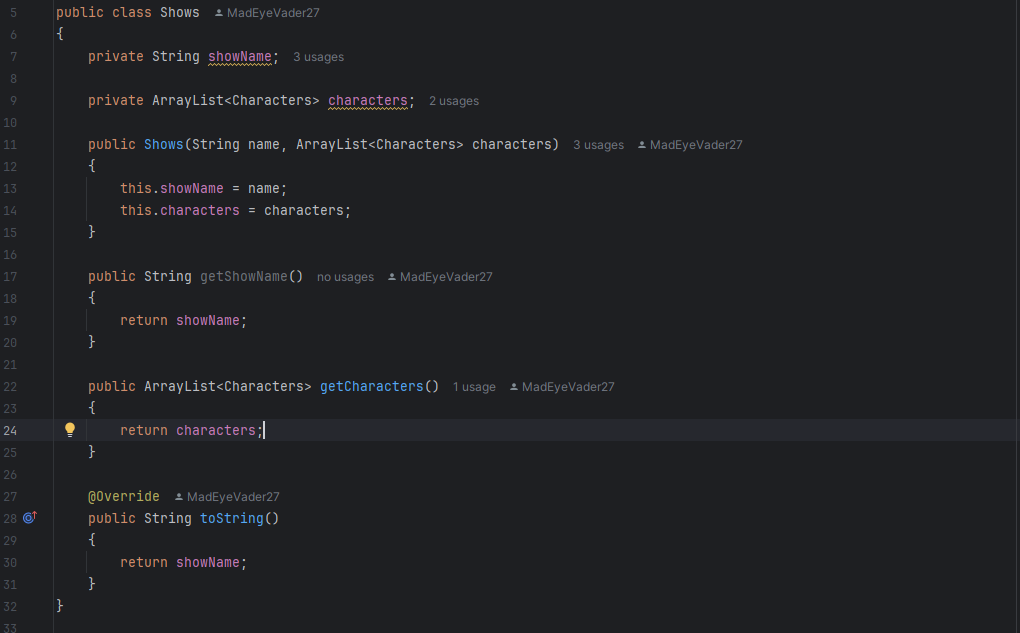
Image gallery Shows object